
Upgrading your Ubuntu-on-Windows install to the app version

Canonical
on 3 August 2017
Our team and Microsoft recently released Ubuntu as a Windows app store application! 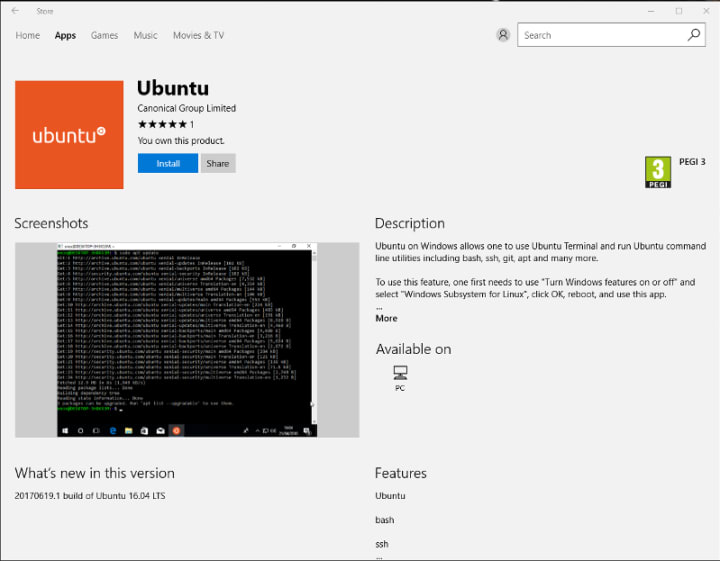 If you toyed with the “bash on Ubuntu on Windows” version before and would like to try the latest and greatest, read on!
Saving your data
If your “bash on ubuntu on windows” environment has some data you’d like to keep, make sure you back it up now. The uninstall process will nuke everything.
Uninstall the old way
This is relatively simple. Opening a command line (cmd.exe) terminal and typing
lxrun /uninstall
will destroy your previous environment.
Installing the new way
To find the app in the Microsoft store, just type “Ubuntu” in the search bar. Click install. Voilà!
Talk to us today
Interested in running Ubuntu in your organisation?
Newsletter signup
Related posts
Ubuntu and Ubuntu Pro on Azure Cobalt 200 VMs
Microsoft has announced the preview of Azure Cobalt 200, its second-generation custom Arm silicon. Learn how Ubuntu and Ubuntu Pro support these new VMs from...
What is InfiniBand?
When distributed workloads stall because nodes cannot exchange small messages quickly and consistently, the network is the limiting factor. How do you solve...
How Canonical Support solves hard Linux performance bugs – even in 12-year old code
A 12-year-old bug in libnss-db caused getent enumeration to slow to a crawl – and showed how far expert support can go when a customer brings the right...